
iOS 26 Scroll Edge Effects
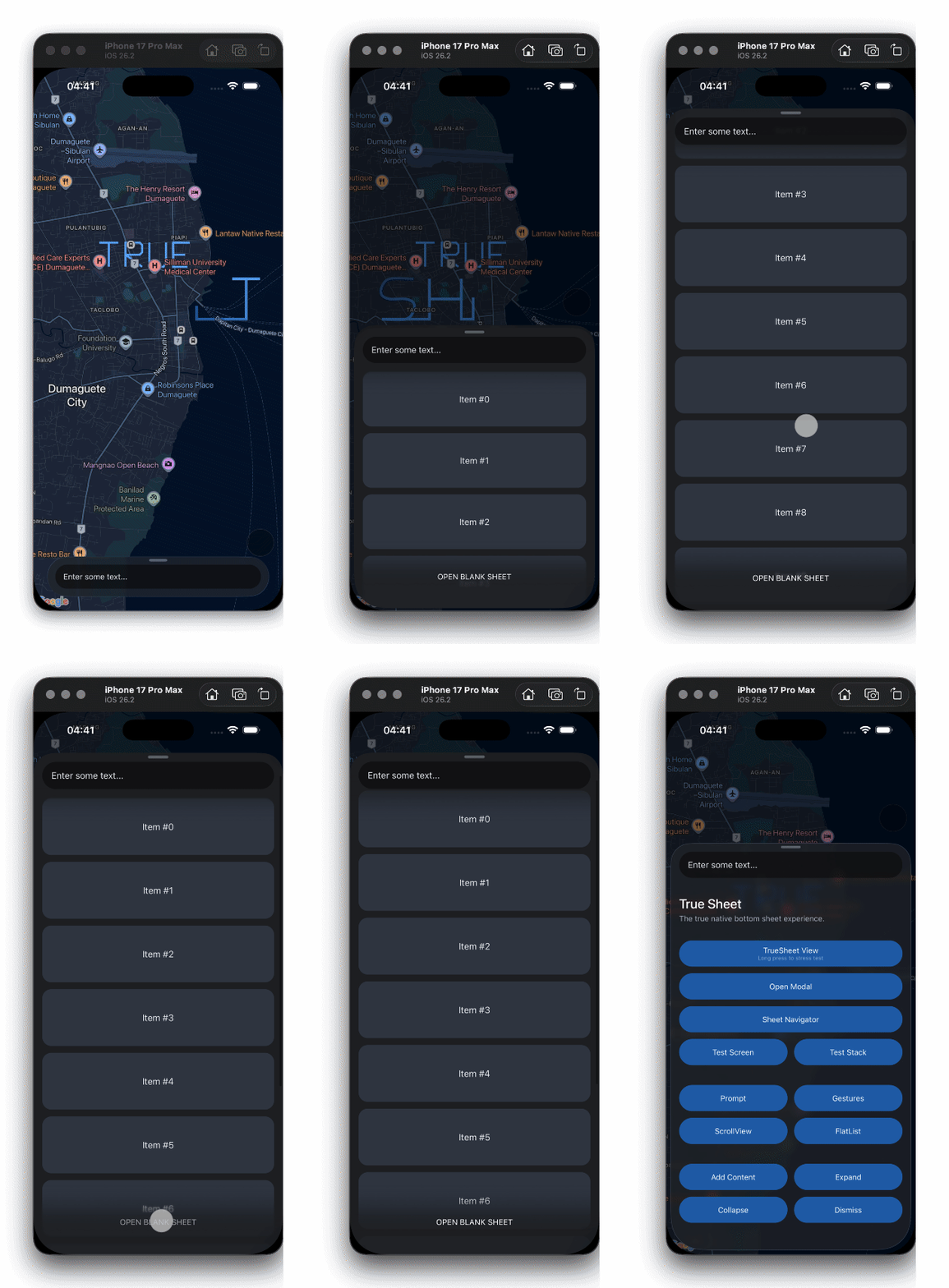
True Sheet 3.10 brings native scroll edge effects to iOS 26. Apply the new soft effect to the top or bottom edges of your scrollable content for that native feel.
Scrolling Controls
Scroll Edge Effects (iOS 26+)
The new topScrollEdgeEffect and bottomScrollEdgeEffect options in scrollableOptions let you apply native scroll edge effects on iOS 26+. Only works when scrollable is enabled.
<TrueSheet
  detents={['auto', 1]}
  scrollable
  scrollableOptions={{
    topScrollEdgeEffect: 'soft',
    bottomScrollEdgeEffect: 'soft',
  }}
>
  <ScrollView />
</TrueSheet>
scrollingExpandsSheet
New scrollingExpandsSheet option in scrollableOptions lets you control whether scrolling up expands the sheet to the next detent. Set it to false to keep the sheet at its current size while scrolling.
<TrueSheet
  scrollableOptions={{ scrollingExpandsSheet: false }}
  detents={['auto', 1]}
>
  <ScrollView />
</TrueSheet>
Accessible Sheets
The grabber view now supports VoiceOver and TalkBack with proper actions and state descriptions — users can resize and dismiss sheets without touch gestures.
Bug Fixes
- iOS: Fixed blur flicker when dismissing sheets with
backgroundBlurenabled. - iOS: Fixed keyboard scroll positioning when auto-expanding from a smaller detent.
- iOS: Fixed position change not emitting when detent or index changed.
- Android: Fixed
NoSuchMethodErrorcrash on Android < 11 with grabber accessibility. - Android: Fixed dead state after rapid present/dismiss cycles.
- Android: Improved back press detection using RN
BackHandlerfor reliability across versions.
⚠️ Breaking Change
nestedScrollingEnabled is now automatically managed when scrollable is enabled on Android. If you were manually setting this, you can remove it.
Get It
yarn add @lodev09/react-native-true-sheet@^3.10.0Have feedback? Open an issue!