
True Sheet 3.0 is here!
We're thrilled to announce the biggest update yet! True Sheet has been completely rebuilt from the ground up for React Native's New Architecture (Fabric). This isn't just an update — it's a whole new level of performance and native experience.
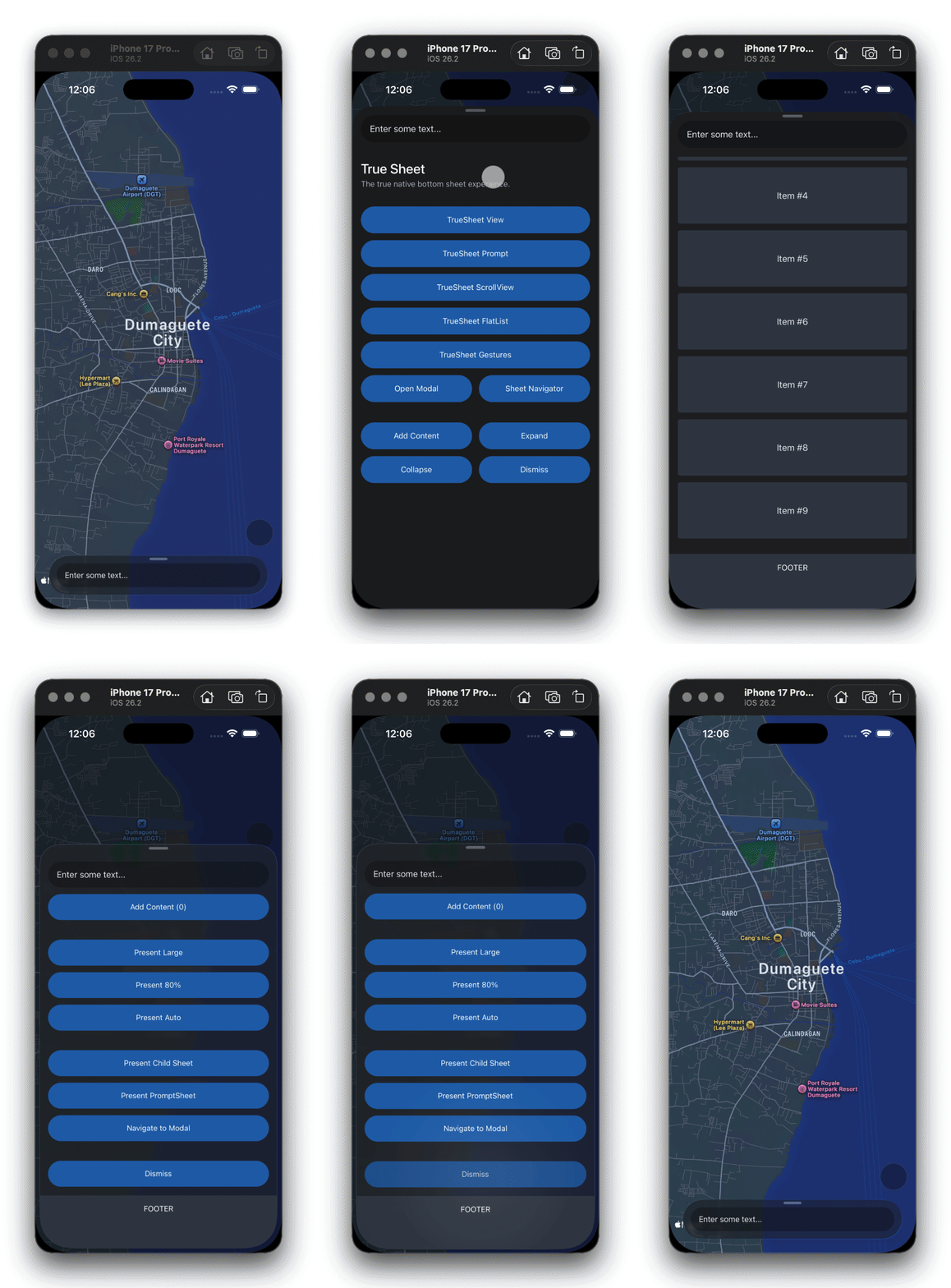
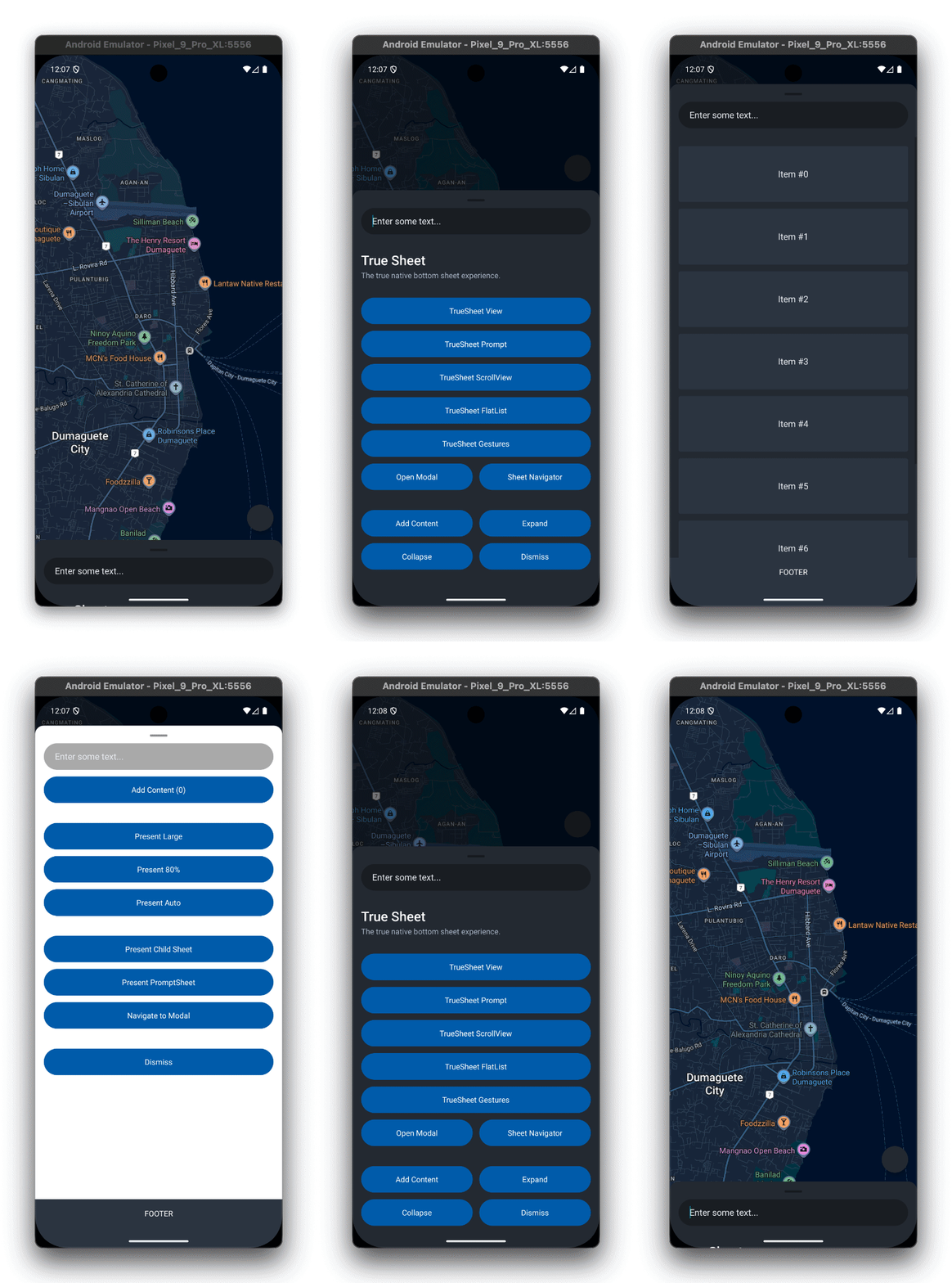
Powered by Fabric
Version 3 is built exclusively for React Native's New Architecture. Here's what that means for you:
- No Bridge — Direct C++ communication between JavaScript and native code
- Blazing Fast — Synchronous layout updates with Fabric
- Shared C++ Core — State and shadow nodes shared between iOS and Android
- 100% Type-safe — Full TypeScript support with Codegen-generated native interfaces
Requirements:
- React Native >= 0.76 (Expo SDK 52+)
- New Architecture enabled (default in RN 0.76+)
What's New
Automatic ScrollView Detection
Say goodbye to scrollRef! Scroll views are now automatically detected on iOS. Just use the scrollable prop and you're good to go:
<TrueSheet scrollable>
  <ScrollView>{/* Your scrollable content */}</ScrollView>
</TrueSheet>
See the Scrolling guide for more details.
Native Header and Footer
Add fixed headers and footers that stay put while your content scrolls:
<TrueSheet
  header={<MyHeader />}
  footer={<MyFooter />}
>
  <FlatList data={items} renderItem={renderItem} />
</TrueSheet>
See the Header guide and Footer guide for more details.
Sheet Stacking
Stack multiple sheets on top of each other on both iOS and Android! New focus events help you manage interactions:
onWillFocus/onDidFocus— Sheet regains focusonWillBlur/onDidBlur— Sheet loses focus
See the Stacking guide for more details.
Rich Event System
Track every moment of your sheet's lifecycle:
| Lifecycle | Drag | Position |
|---|---|---|
onMount | onDragBegin | onPositionChange |
onWillPresent | onDragChange | onDetentChange |
onDidPresent | onDragEnd | |
onWillDismiss | ||
onDidDismiss |
See the onMount guide for handling sheet readiness.
Reanimated v4 Integration
Seamless animations with dedicated Reanimated components:
import {
  ReanimatedTrueSheetProvider,
  ReanimatedTrueSheet,
  useReanimatedTrueSheet,
} from '@lodev09/react-native-true-sheet/reanimated'
import Animated, { useAnimatedStyle, interpolate, Extrapolation } from 'react-native-reanimated'

const App = () => (
  <ReanimatedTrueSheetProvider>
    <MySheet />
  </ReanimatedTrueSheetProvider>
)

const MySheet = () => (
  <ReanimatedTrueSheet detents={[0.3, 0.6, 1]}>
    <AnimatedContent />
  </ReanimatedTrueSheet>
)

const AnimatedContent = () => {
  const { animatedIndex } = useReanimatedTrueSheet()

  // Fade in as sheet expands from index 0 to 1
  const animatedStyle = useAnimatedStyle(() => ({
    opacity: interpolate(animatedIndex.value, [0, 1], [0, 1], Extrapolation.CLAMP)
  }))

  return (
    <Animated.View style={animatedStyle}>
      <Text>I fade in as the sheet expands!</Text>
    </Animated.View>
  )
}
See the Reanimated guide for complete examples.
Draggable Control
Need a static sheet? Disable dragging entirely:
<TrueSheet draggable={false} detents={[0.5, 1]}>
  <Button title="Expand" onPress={() => sheet.current?.resize(1)} />
</TrueSheet>
See the Resizing guide for programmatic control.
Dimming Control
Customize when the background dims based on detent index:
<TrueSheet detents={[0.3, 0.6, 1]} dimmedDetentIndex={1}>
  {/* Dims only when at index 1 or above */}
</TrueSheet>
See the Dimming guide for more details.
Edge-to-Edge Support (Android)
TrueSheet automatically adapts to Android's edge-to-edge mode. The sheet respects the status bar when fully expanded.
See the Edge-to-Edge guide for details.
Global Static Methods
Present sheets from anywhere in your app using static methods:
// Register a named sheet
<TrueSheet name="my-sheet">
  {/* content */}
</TrueSheet>

// Present from anywhere
TrueSheet.present('my-sheet')
See the Global Methods guide for more details.
React Native Screens Integration
Navigate to other screens from within a sheet without any issues! The sheet will remain visible in the background when presenting modals on top.
This requires changes to react-native-screens. There is a pending PR that adds support for this. In the meantime, you can apply the patch from the example app.
See the React Navigation guide for more details.
Breaking Changes
Heads up! Version 3 includes some breaking changes:
- Fabric Required — Old Paper architecture is no longer supported
- Prop Renames —
sizes→detents,initialIndex→initialDetentIndex,onPresent→onDidPresent, and more - Detent Values — Use fractional values (
0.5) instead of percentage strings ("50%") - Removed Props —
scrollRef,grabberProps,contentContainerStyle
Check out the Migration Guide for the full list and step-by-step upgrade instructions.
Get Started
yarn add @lodev09/react-native-true-sheet@^3.0.0Or with Expo:
npx expo install @lodev09/react-native-true-sheetRunning into issues? Check out the Troubleshooting guide for common fixes.
Thank You!
A huge thanks to everyone who contributed, reported issues, and provided feedback. Your support makes True Sheet better with every release!
We're just getting started. Stay tuned for more exciting updates!