Side Sheets
Anchor the bottom sheet to the left or right edge of the screen.
Ever wanted your sheet to slide in from the side? Now it can! The anchor prop lets you dock the sheet to the left or right edge — perfect for iPad and tablet layouts.
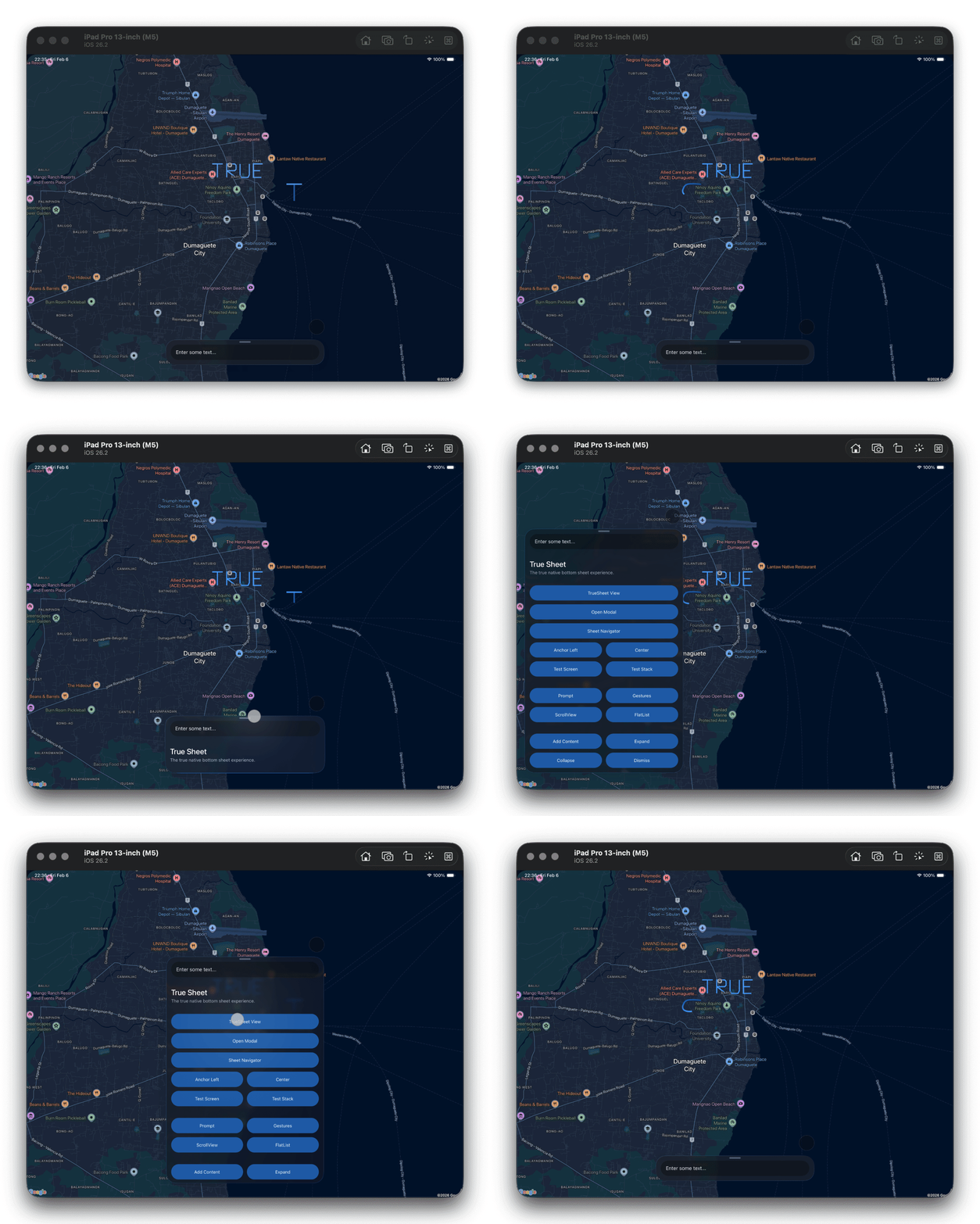
How?
Set anchor to "left" or "right" to position the sheet along that edge.
export const App = () => {
  return (
    <TrueSheet
      detents={['auto', 1]}
      anchor="left"
      maxContentWidth={400}
    >
      <View />
    </TrueSheet>
  )
}
Combine with maxContentWidth to control the sheet width when anchored.
Adjusting the Edge Offset
On Android and Web, you can control the margin from the screen edge using anchorOffset. The default is 16.
export const App = () => {
  return (
    <TrueSheet
      anchor="left"
      anchorOffset={24}
      detents={['auto', 1]}
      maxContentWidth={400}
    >
      <View />
    </TrueSheet>
  )
}
On iOS, the system controls edge margins via UISheetPresentationController's sourceView. The sheet will always float slightly from the edge due to system-defined margins.
anchor and maxContentWidth are ignored on phones in portrait orientation — the sheet always spans the full width.